Windows Server 2019 Active Directory Administration Project
This project demonstrates the deployment and administration of a Windows
Server 2019 Active Directory environment. The objective was to build a
small enterprise domain, configure core infrastructure services, manage
users and groups, deploy Group Policy, and troubleshoot real-world
administrative issues in a virtual lab.
Project Overview
This project provided practical experience with Windows Server
administration and enterprise identity management. It demonstrates my
ability to deploy Active Directory, configure DNS, manage users and
Organizational Units, implement Group Policy, and troubleshoot common
Windows administration problems.
Why I Built This Lab
I wanted practical experience managing Windows enterprise infrastructure
rather than simply learning individual features. Building this lab helped
me understand how Active Directory, DNS, Group Policy and Windows clients
work together inside a business environment while strengthening my
troubleshooting skills.
Lab Environment
Windows Server 2019
Windows 11 Enterprise
Active Directory Domain Services (AD DS)
DNS Server
Group Policy Management
Active Directory Users and Computers
PowerShell
VirtualBox Home Lab
Project Objectives
Deploy Windows Server 2019.
Install Active Directory Domain Services.
Configure DNS.
Create Organizational Units.
Create domain users and security groups.
Join Windows 11 Enterprise to the domain.
Deploy Group Policy Objects.
Troubleshoot policy deployment.
Validate user authentication and permissions.
Implementation Summary
A Windows Server 2019 Domain Controller was deployed with Active
Directory and DNS services. Multiple Organizational Units were created to
simulate an enterprise environment, followed by user accounts, security
groups and Group Policy deployment. A Windows 11 Enterprise client was
successfully joined to the domain and tested using domain credentials.
Troubleshooting Experience
During testing, a Group Policy wallpaper deployment failed to apply
correctly. Rather than rebuilding the lab, I investigated the issue by
validating DNS, refreshing Group Policy, checking network connectivity,
verifying the wallpaper path and correcting the configuration. This
reinforced the importance of structured troubleshooting within enterprise
environments.
Skills Demonstrated
Windows Server Administration
Active Directory
DNS Administration
Organizational Unit Management
User & Group Administration
Group Policy Management
Windows Client Domain Join
PowerShell
Enterprise Troubleshooting
Key Lessons Learned
Active Directory depends on correct DNS configuration.
Group Policy deployment requires systematic troubleshooting.
Organizational Units simplify administration.
Security Groups improve permission management.
Always validate configuration changes after deployment.
Project Screenshots
The screenshots below demonstrate the major stages of the Windows Server
deployment and Active Directory administration process.
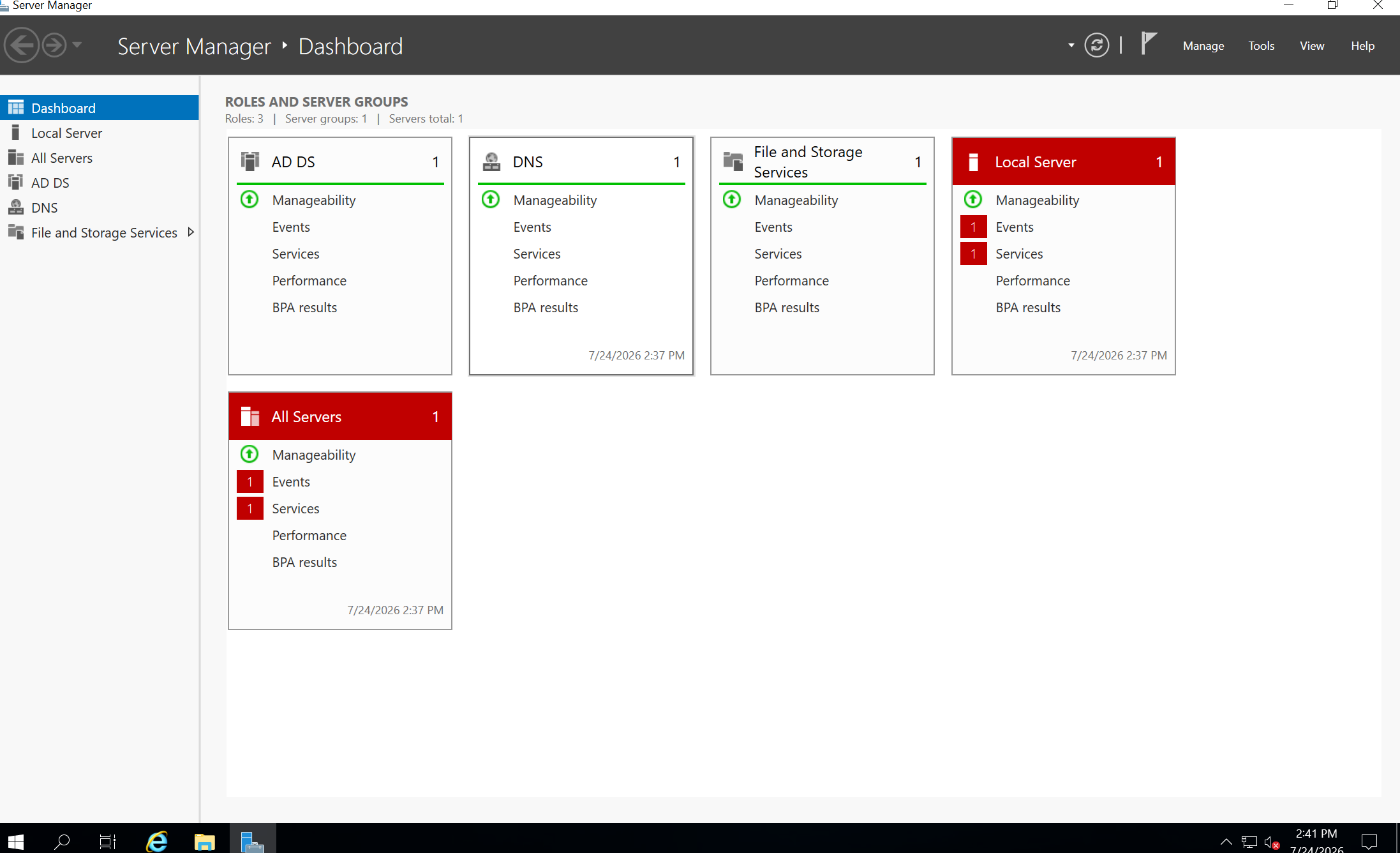
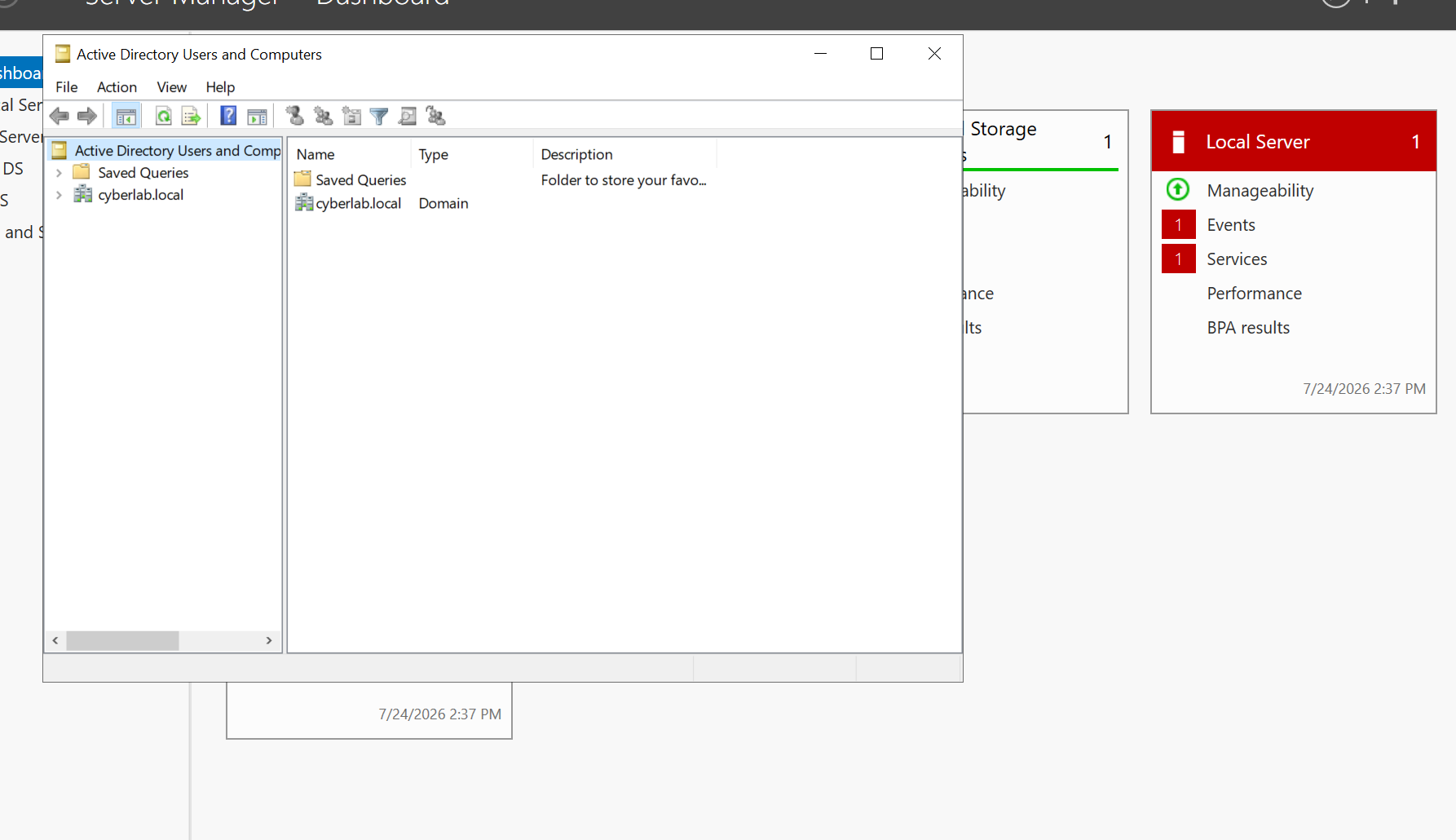
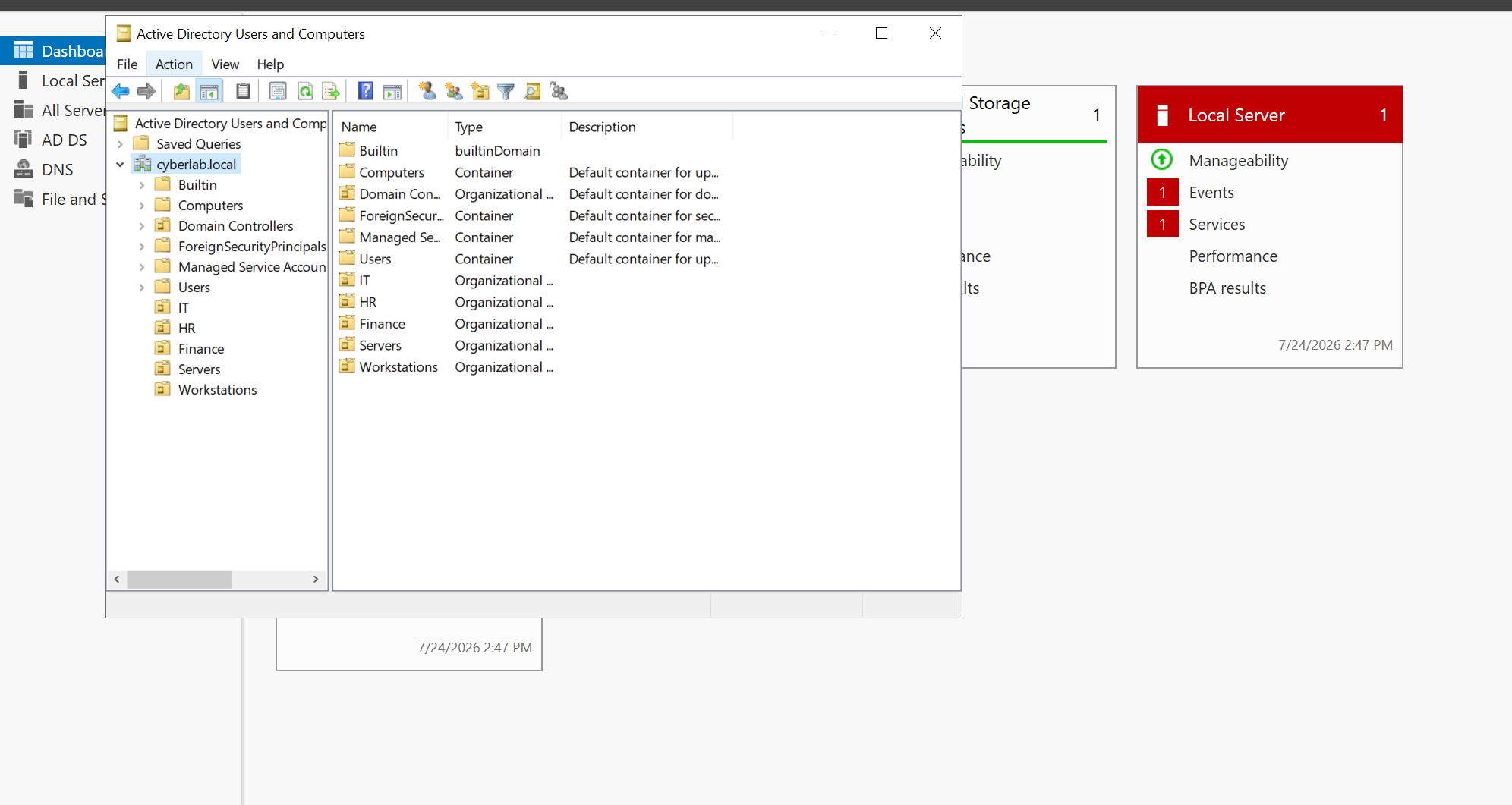
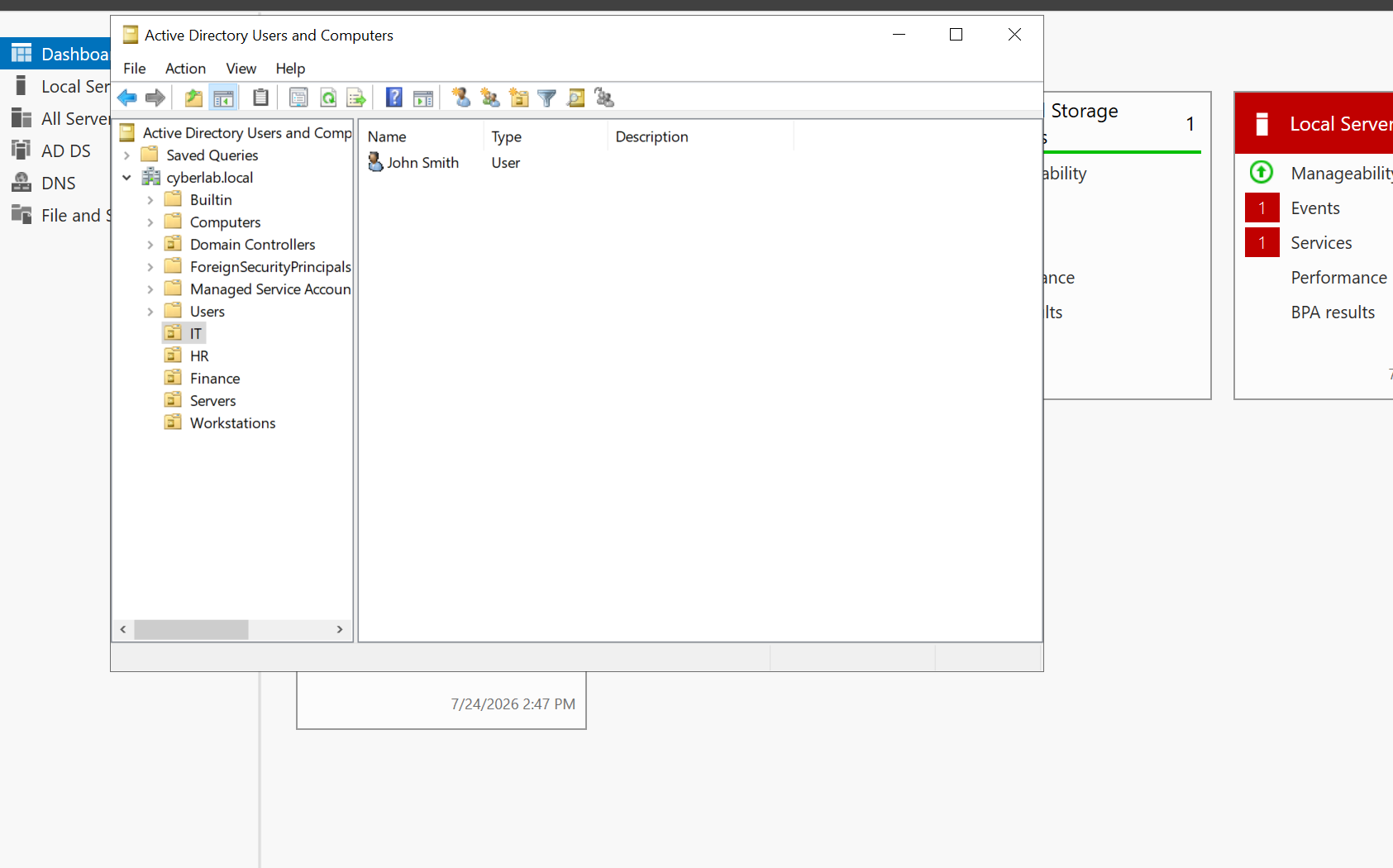
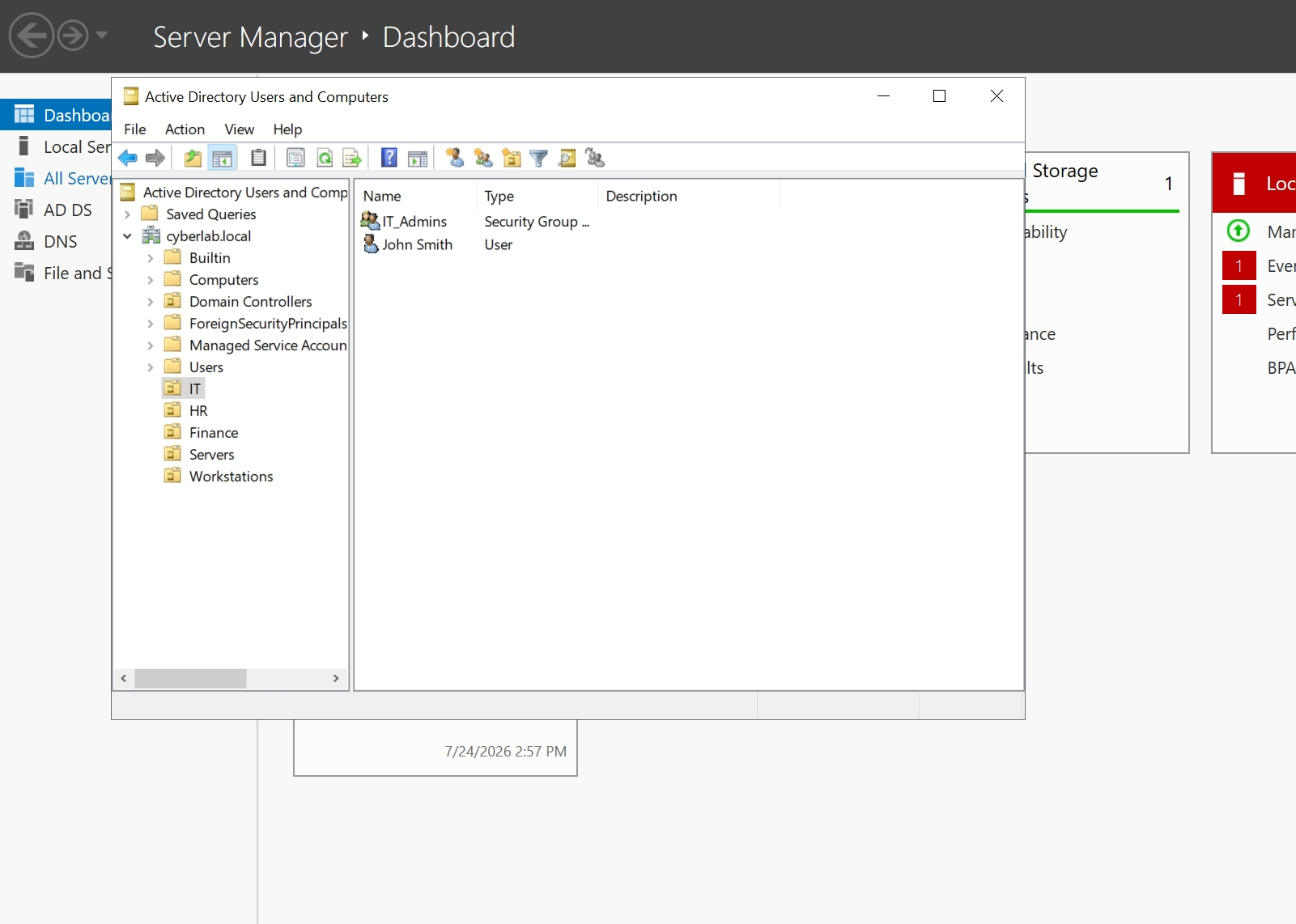
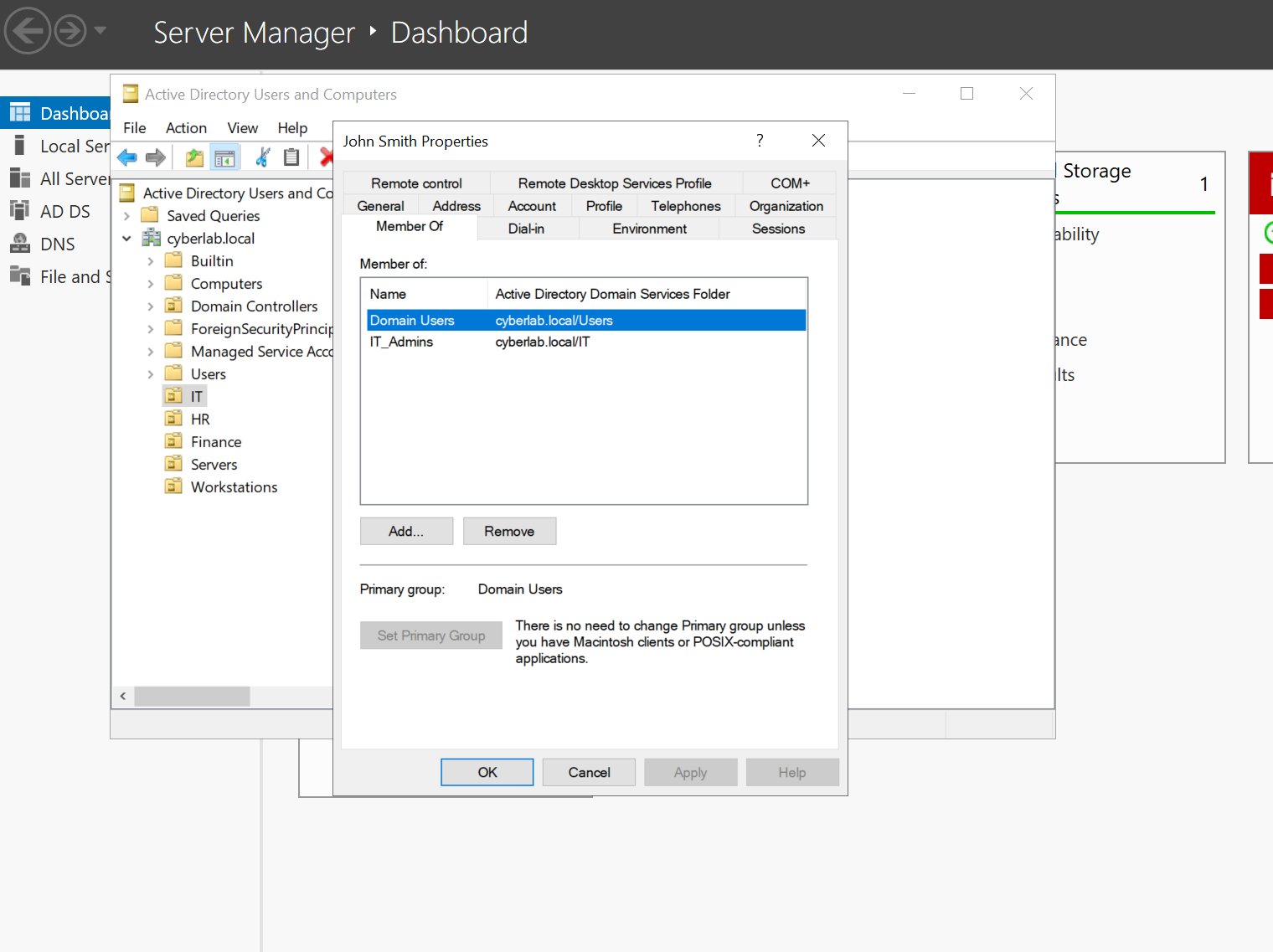
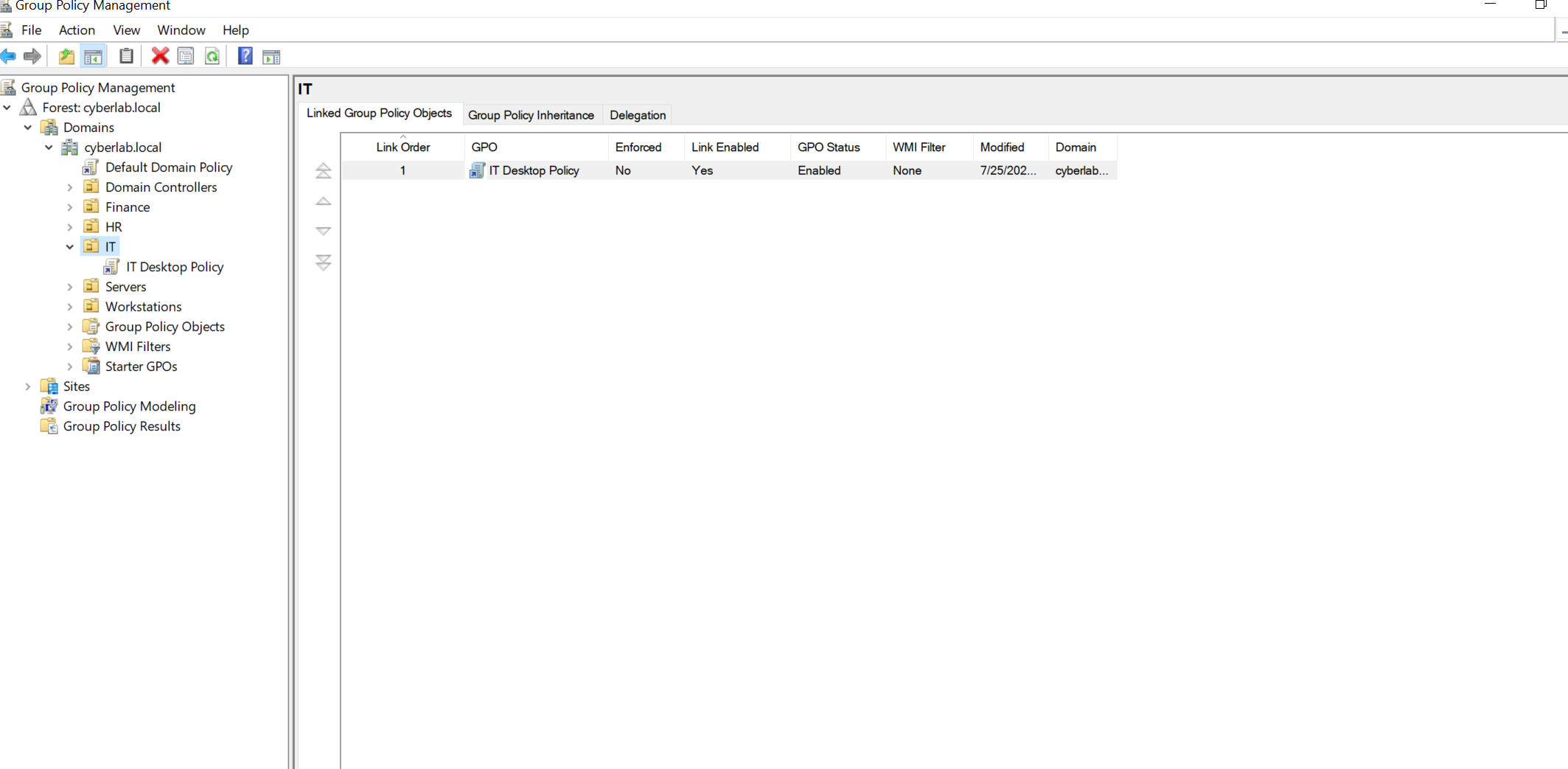
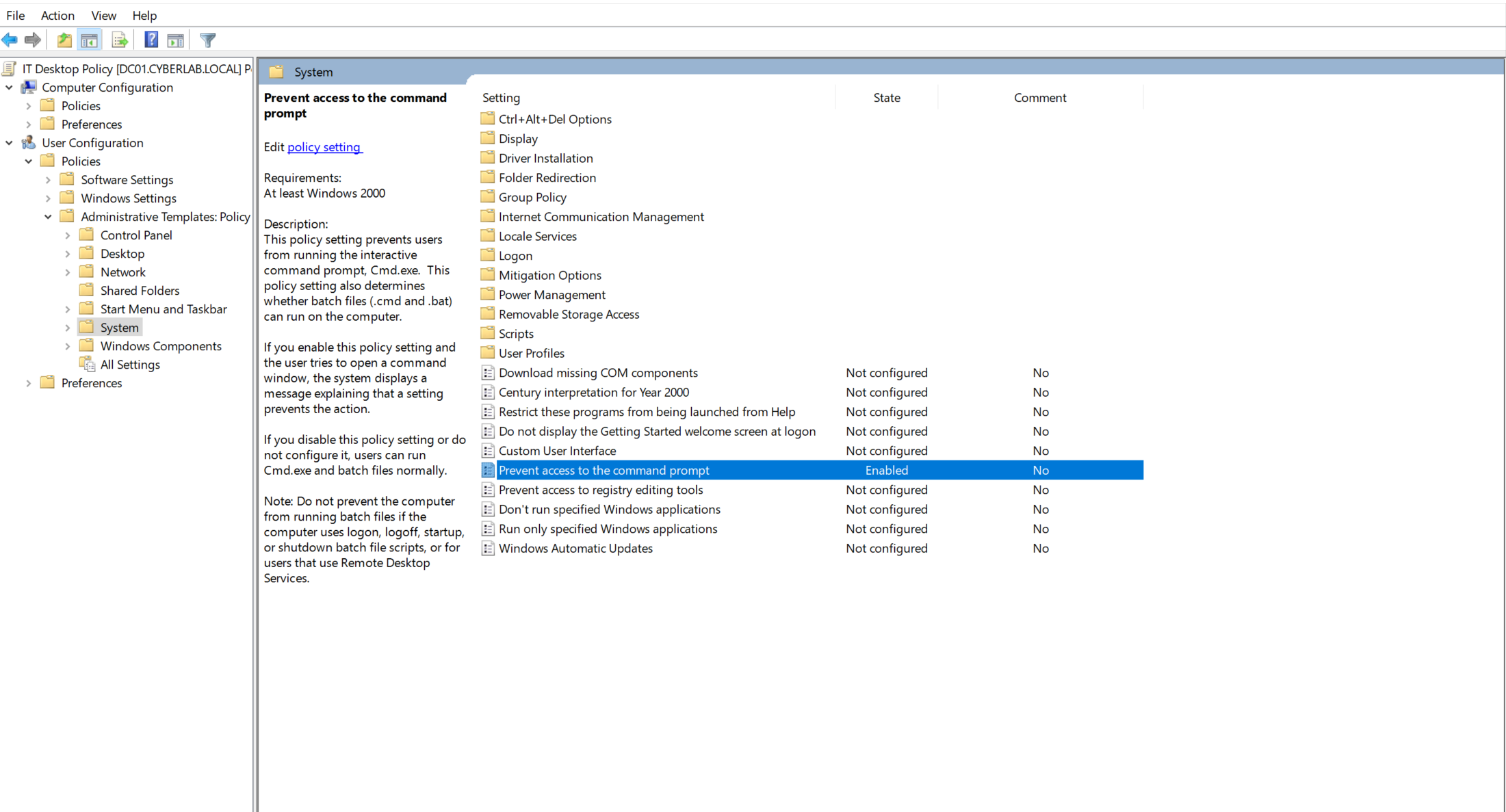
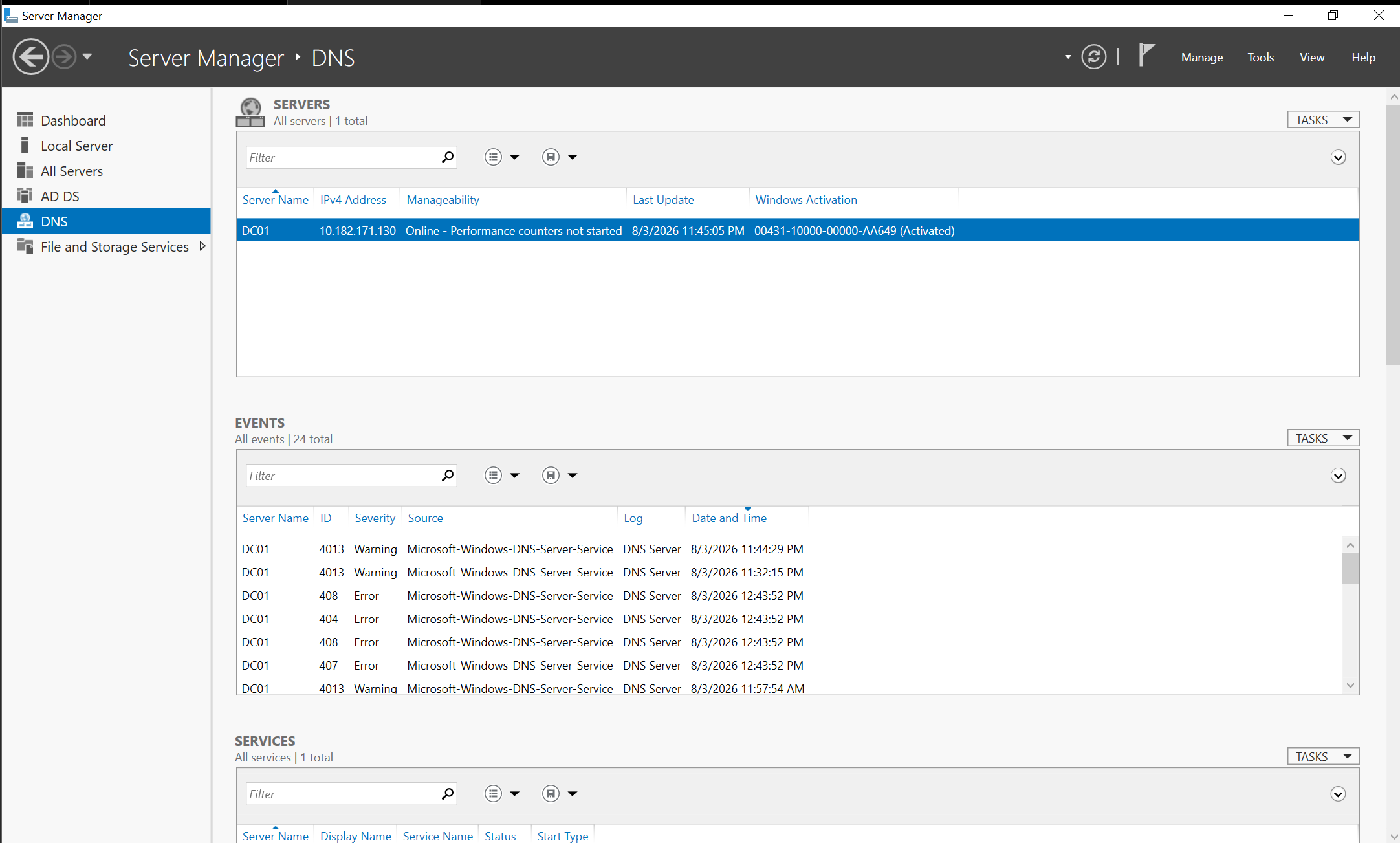
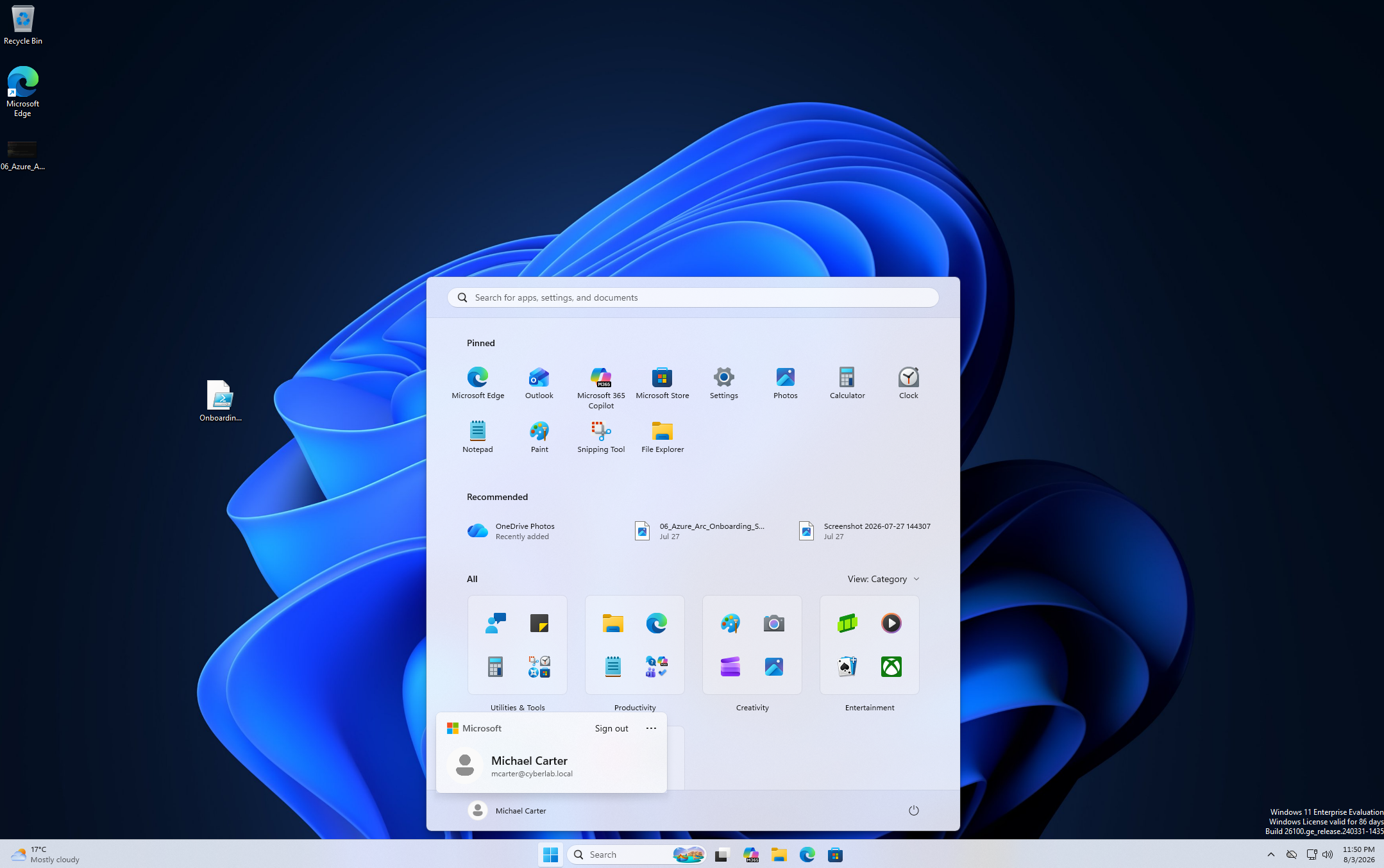
Figure 1 — Windows Server 2019 promoted to an Active Directory Domain Controller.Figure 2 — Active Directory Users and Computers console.Figure 3 — Enterprise Organizational Unit structure.Figure 4 — Creating the first domain user account.Figure 5 — Creating a security group for administrative permissions.Figure 6 — Assigning a user to the IT security group.Figure 7 — Group Policy Object created and linked to the IT Organizational Unit.Figure 8 — Command Prompt disabled through Group Policy.Figure 9 — DNS Manager showing the configured domain services.Figure 10 — Windows 11 Enterprise successfully authenticated using a domain user account.
Conclusion
This project provided practical experience administering Windows Server
2019 in an enterprise-style environment. It strengthened my knowledge of
Active Directory, DNS, Group Policy, user administration and structured
troubleshooting while building confidence with real-world system
administration tasks.