Project Screenshots
The screenshots below demonstrate the deployment and endpoint validation stages of the Microsoft Intune security lab.
This project demonstrates practical Microsoft Intune experience through the configuration, deployment and validation of Windows endpoint security policies. The lab focused on managing a Windows 11 Pro device and verifying security controls directly on the endpoint.
Microsoft Intune provides cloud-based endpoint management and security policy deployment. In this project I created and deployed Windows security configuration profiles, monitored their deployment status and validated the resulting controls on a managed Windows endpoint.
I created this lab to gain practical endpoint management experience beyond certification study. The project demonstrates how security policies can be configured centrally in Intune, applied to a Windows device and then verified at the endpoint.
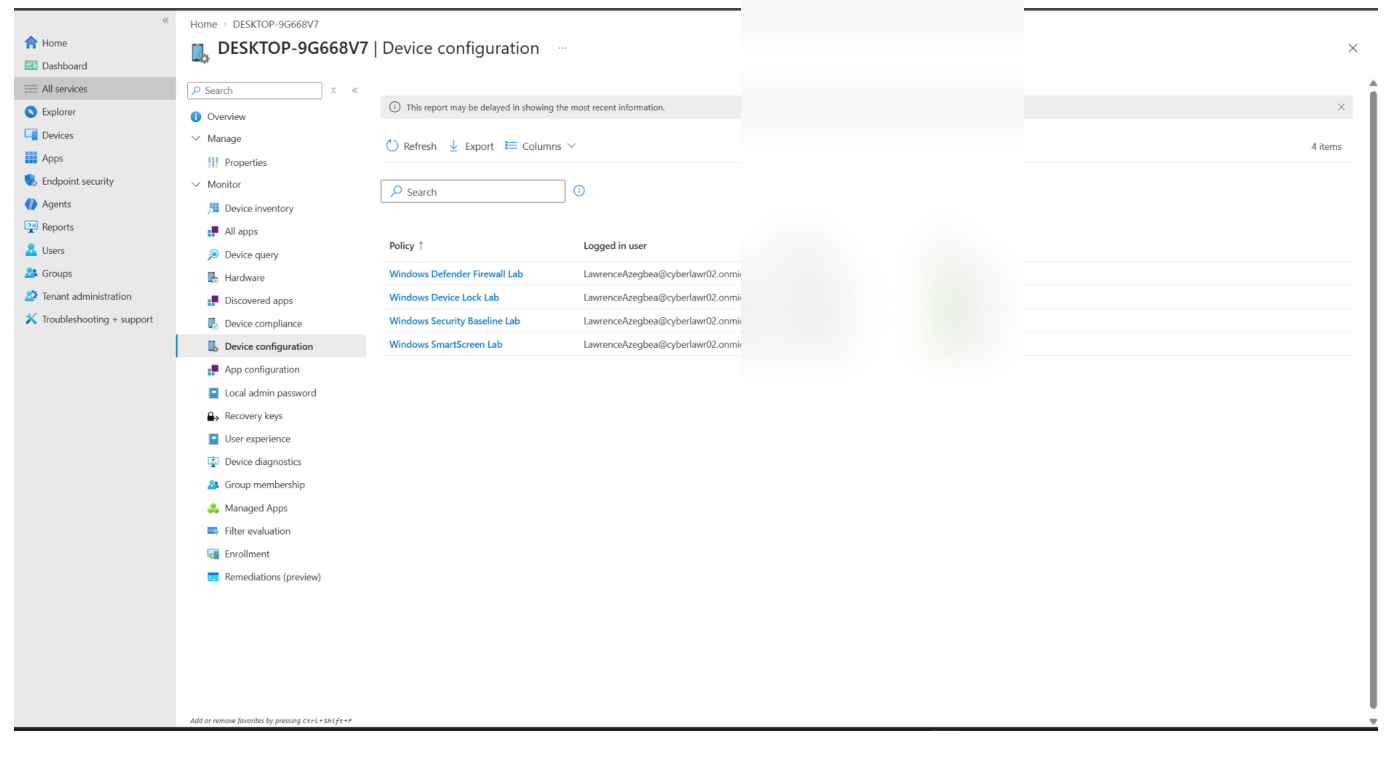
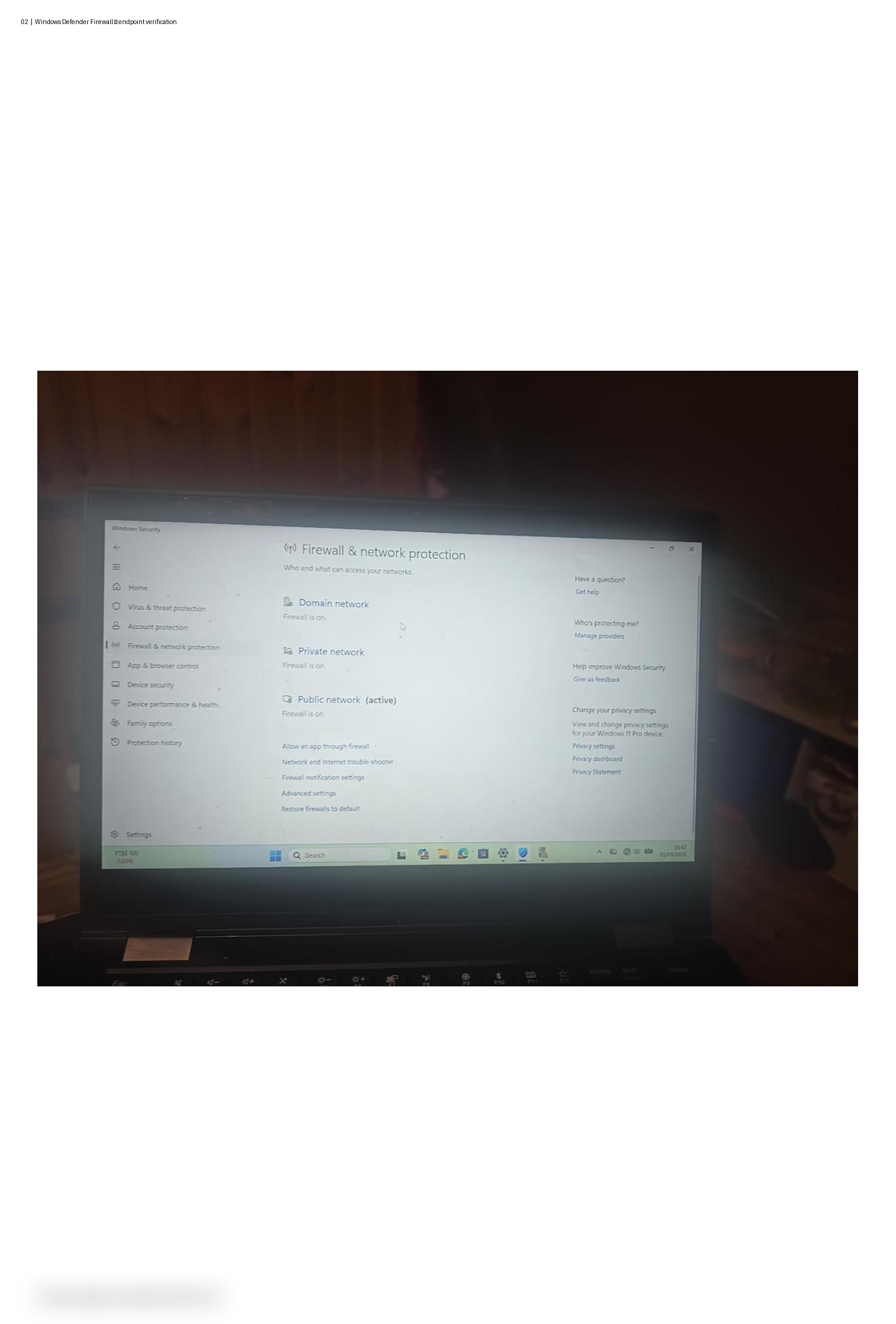
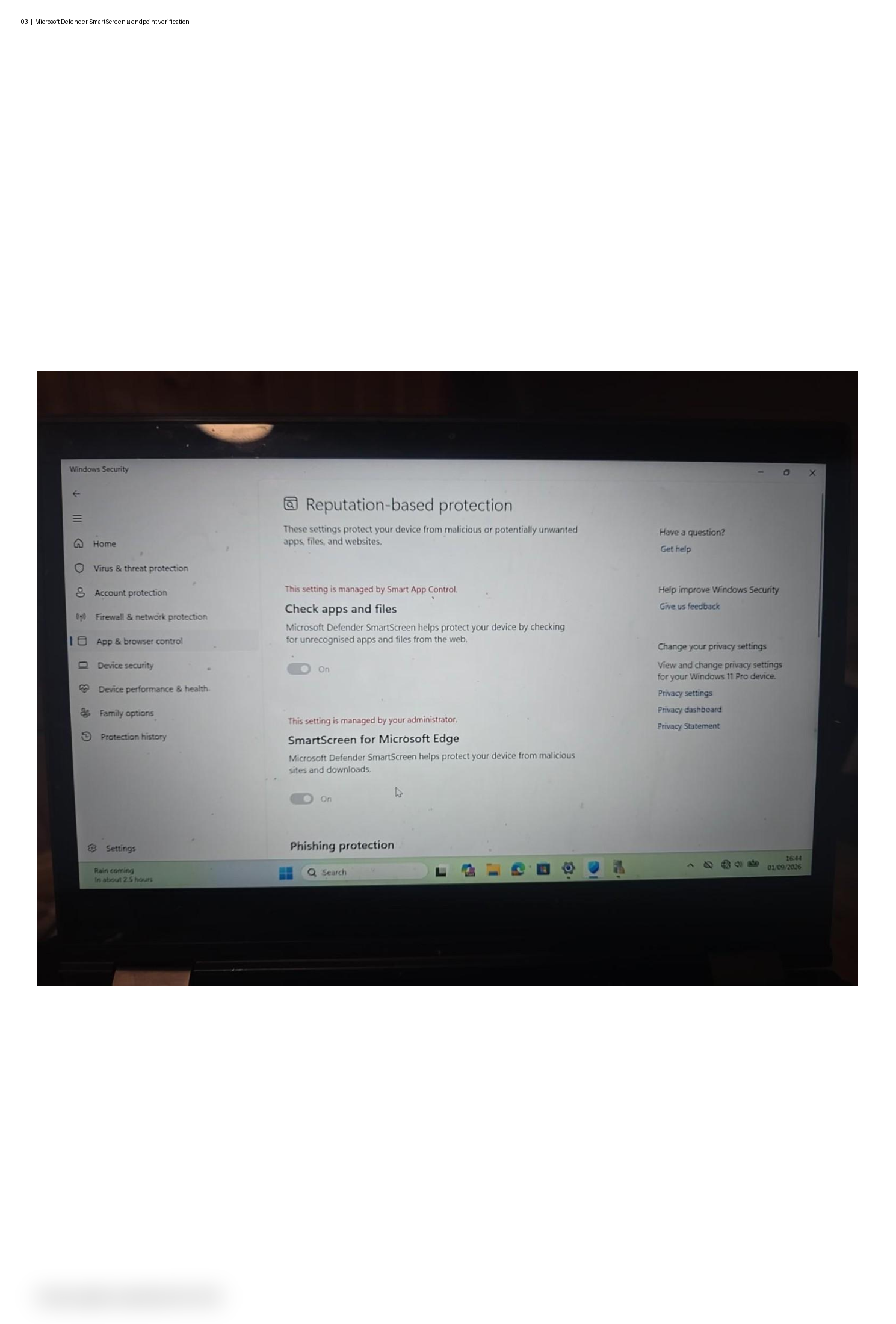
I created four Intune configuration profiles covering Windows security baseline controls, Microsoft Defender Firewall, device lock and Microsoft Defender SmartScreen. The policies were assigned to the managed Windows endpoint and successfully reported as applied in Intune.
Endpoint validation was then performed using Windows Security and Windows security administration tools to confirm that the configured controls were being enforced on the device.
Intune reported all four configuration profiles as Succeeded on the managed Windows endpoint. The Windows device was then checked locally to verify the deployed security controls.
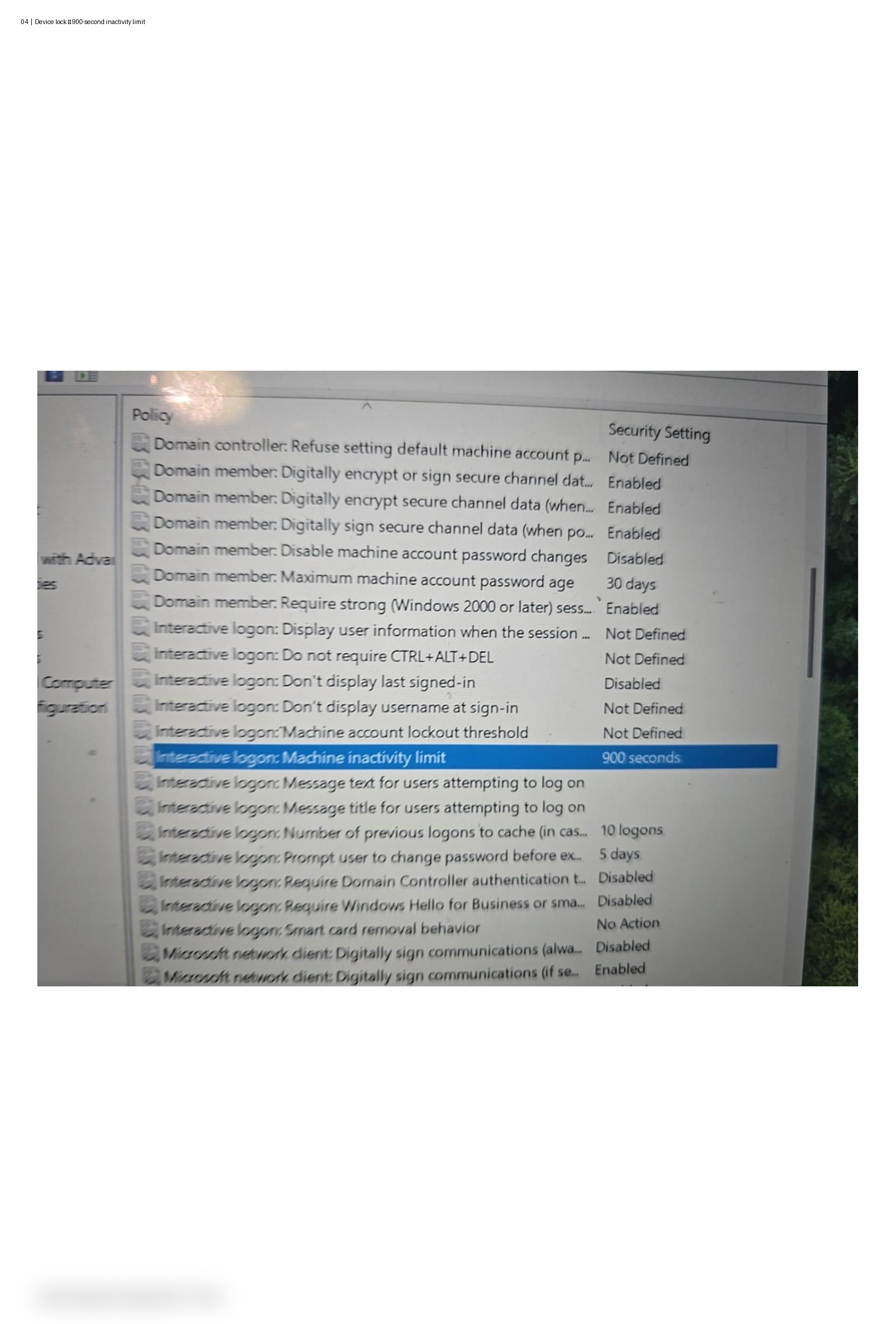
During validation, I tested the Windows inactivity control and investigated the difference between an enforced inactivity policy and Windows power-management settings. The inactivity limit was confirmed at 900 seconds, while the device's separate screen, sleep and hibernate timers were reviewed independently.
This reinforced the importance of validating both the central Intune policy and the resulting endpoint configuration rather than relying only on deployment status.
The screenshots below demonstrate the deployment and endpoint validation stages of the Microsoft Intune security lab.
Building this lab strengthened my understanding of Microsoft Intune, Windows endpoint management and practical security policy deployment. It also improved my ability to configure, monitor and validate security controls across a managed Windows environment.